
What Is Ad Hijacking?
Ad hijacking is the unauthorized interception of branded paid-search traffic. An affiliate, impersonator, reseller, competitor, or other advertiser appears for a brand query and redirects a high-intent click into a journey the brand did not approve.
The practical problem is not simply that another advertiser bought a keyword. It is the combination of identity, authorization, ad presentation, destination, redirects, attribution, and customer impact.
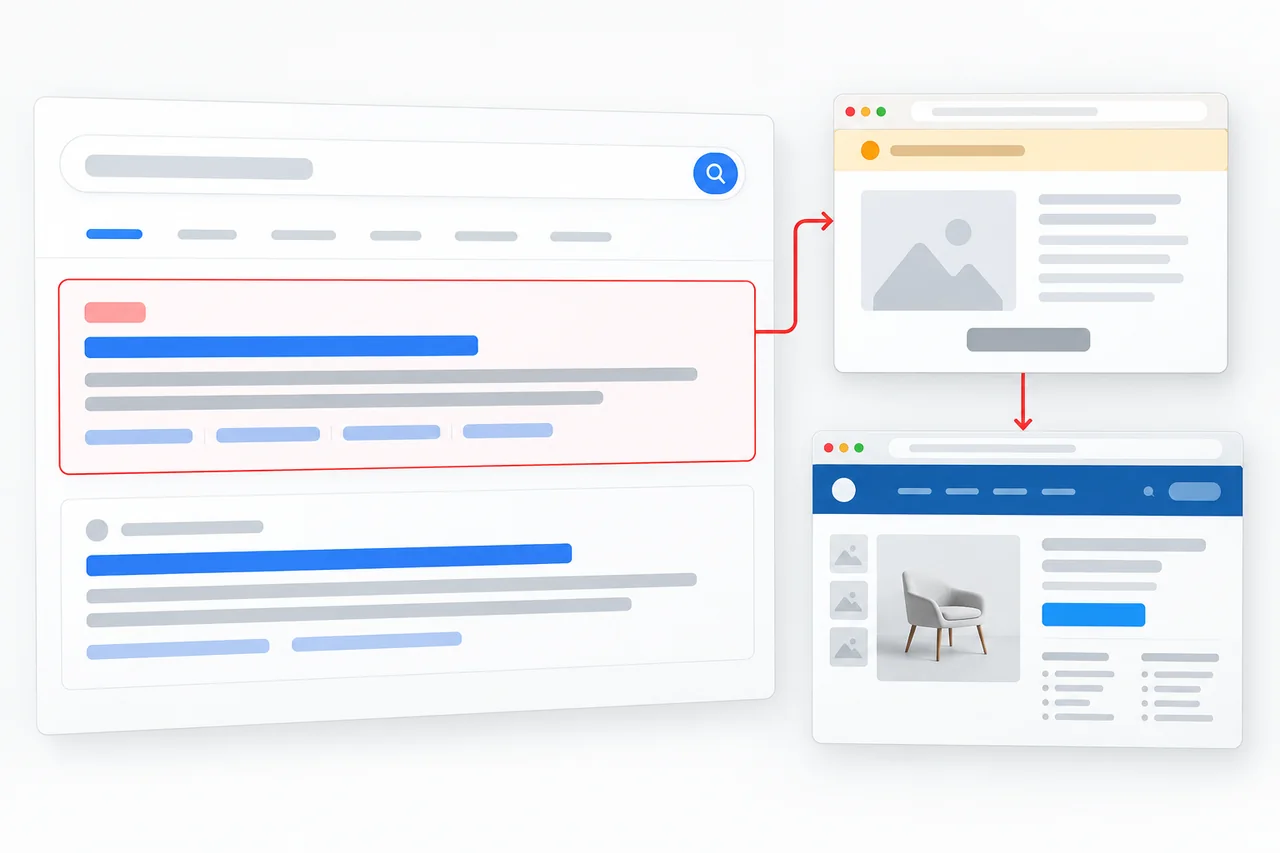
Customer route: sponsored result, intermediary page, merchant website. Verify the advertiser and permission separately.
Ad Hijacking Is Not the Same as Every Competing Ad
Google Ads generally does not restrict using another party’s trademark as a keyword. Its trademark policy focuses on how a trademark is used in the ad and whether that use is confusing, deceptive, misleading, or otherwise restricted. That means a screenshot containing a competitor is not automatically proof of hijacking or a removable violation.
Potentially legitimate bidding
A clearly identified reseller, comparison service, or competitor may be allowed to bid, depending on the ad, destination, market, trademark use, and applicable rules.
Unauthorized interception
An affiliate violates program terms, captures an existing brand search, attaches tracking, and receives credit or commission for demand the brand already created.
Impersonation or deception
The ad, business name, display URL, destination, or redirect path creates a misleading impression that the advertiser is the brand or an authorized representative.
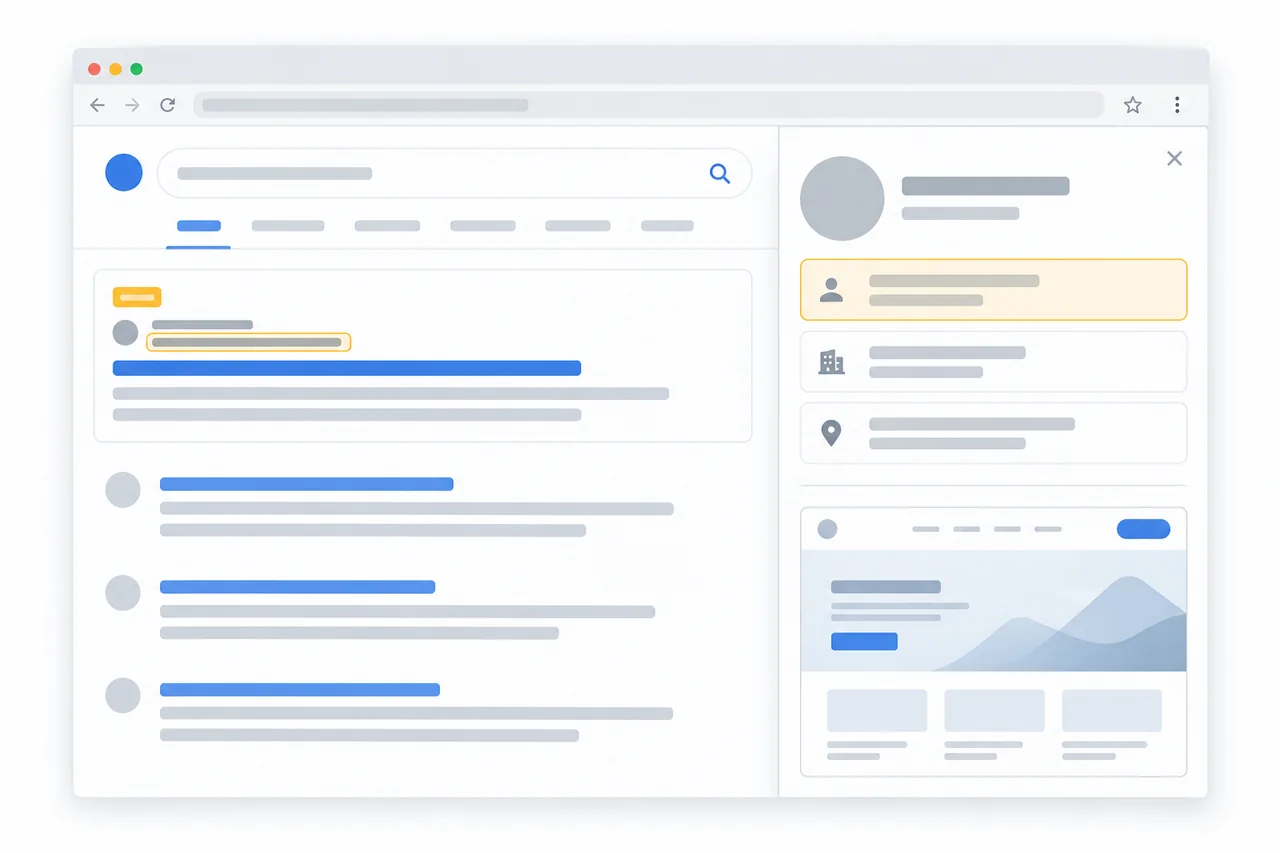
Review the advertiser details separately from the display domain, then compare both with the captured route and approved partner records.
- Advertiser: preserve the identity shown for the ad and check it against the relevant business or partner record.
- Display domain: record what the user saw. It does not by itself prove the final destination or permission.
- Click path: preserve any intermediate URLs and the final page in the same observation context.
- Authorization: compare the placement with approved use and any applicable partner terms before choosing an action.
Policy reference: Google Ads trademark policy.
Six Common Ad Hijacking Patterns
Affiliate brand bidding
A partner targets restricted branded keywords and inserts an affiliate click before conversion.
Official-looking ads
Copy, business identity, or display URLs imply authorization that the advertiser does not have.
Redirect cloaking
The observed destination changes by geography, device, time, audience, or reviewer status.
Fake-domain advertising
A lookalike domain uses paid search to reach customers before organic warnings or takedown action catches up.
Coupon interception
A promotion page captures users already searching for the brand, price, bonus, login, or support.
Market-specific abuse
The ad appears only in selected countries, cities, languages, devices, or low-supervision hours.
Do Not Confuse Ad Hijacking with Malware or Click Fraud
These problems can coexist, but they require different evidence and different remedies. Treating them as interchangeable produces weak complaints and poor reporting.
How to Detect Ad Hijacking
Start with a repeatable observation, then check the advertiser, destination and permission. Finding an unfamiliar result is the beginning of a review, not the conclusion.
A single headquarters search can miss an ad that appears in another market or on another device. Repeat observations in the relevant customer context and retain negative checks as well as positive sightings. See the market-specific detection guide for that limitation.
For an affiliate route, the customer may still reach the official website. The question is whether an unauthorized tracked step was inserted first. A parameter is a clue, not proof of the account owner; confirm it against program or network records.
Turn the Ad into a Takedown Plan
Bring the query, country, screenshot, advertiser, visible URL, or redirect. AdFlagger can help determine whether it is ordinary bidding, affiliate abuse, impersonation, or another ads-takedown case.
How AdFlagger Handles Ad Hijacking
Monitor
Observe relevant branded queries across the markets, devices, languages, and schedules that matter.
Validate
Separate authorized activity, legitimate use, competitor bidding, affiliate violations, and deceptive advertising.
Preserve
Capture the ad and customer journey before copy, accounts, redirects, or destinations change.
Enforce
Use the applicable platform policy, trademark basis, partner agreement, advertiser evidence, or domain route.
Verify
Confirm removal and watch for replacement advertisers, domains, copy, redirects, and recurrence.
Measure
Track whether more branded clicks return to the official website after abusive sources decline.
Detection, Removal, and Related Risks
This page defines ad hijacking. Use the focused guides below for the next task:
- How to remove unauthorized ads: evidence-led enforcement steps.
- Geo-targeted detection: why manual checks miss market-specific ads.
- Affiliate commission hijacking: attribution and partner abuse.
- Redirect cloaking: destination changes and evidence.