
How to Remove Brand Abuse Ads from Google Search
To address an unauthorized search ad, establish who placed it, preserve the destination route and identify the policy or partner rule that applies. This guide explains the evidence, available response paths and checks after action.
Check the advertiser, claims and destination before assigning a violation.
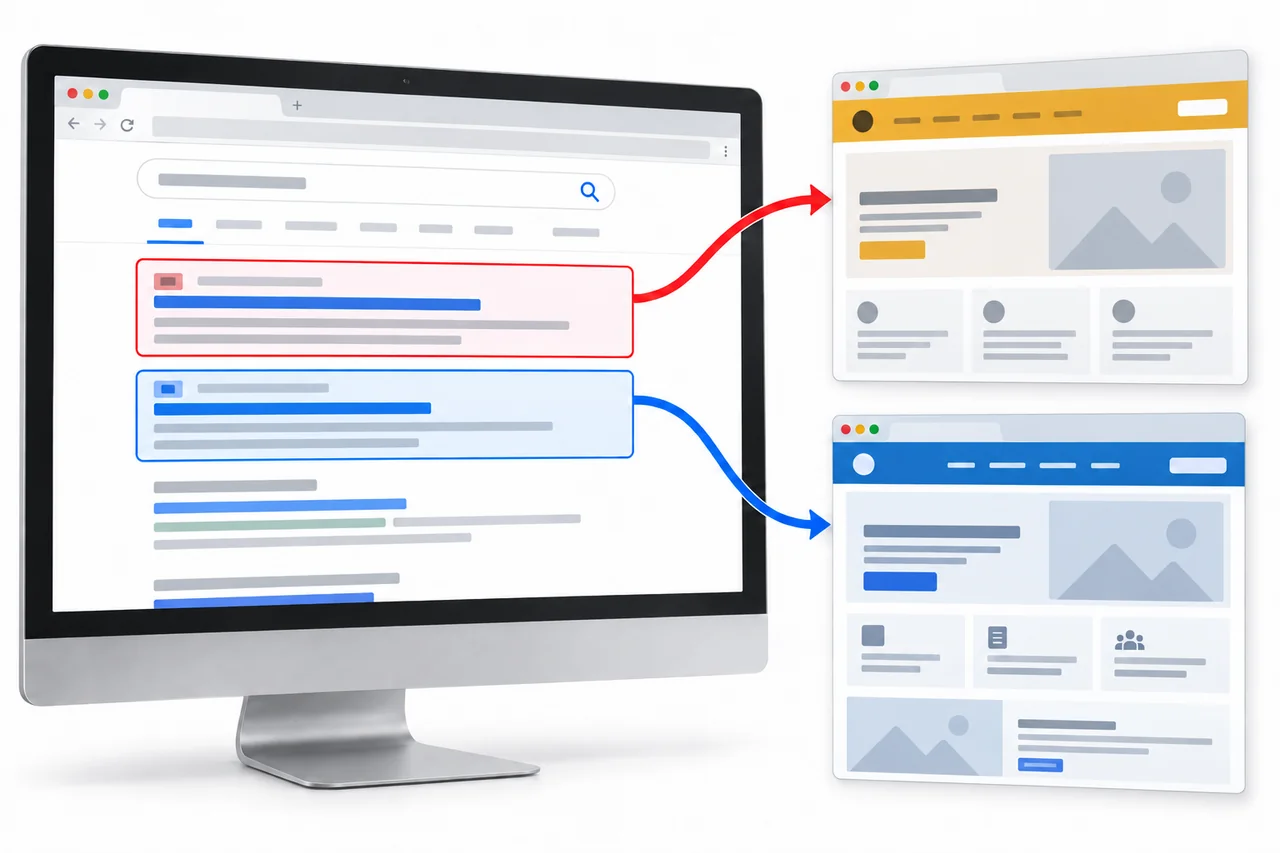
Compare the traffic routes: red, from the sponsored result to a third-party destination; blue, from the official result to the intended website. Follow both routes before selecting a complaint basis.
Identify How the Ad Changes the Customer Journey
A branded search can lead to an advertiser, intermediary or landing page outside the intended customer journey. Review the business identity, offer and destination together. Potential effects include customer confusion, an unauthorized affiliate step or diversion to a misleading page.
The practical question is not “is every competitor ad illegal?” It is: does this ad confuse users, misuse the brand, hide its destination, or intercept demand that should reach the official brand journey?

Fake bonus using your brand
Uses familiar language to pull the user before the official result.
Redirect route
Visible URL looks harmless, final destination is different.
Your Brand Name | Official Site
The result the user intended to reach.
Match the Observed Behavior to the Appropriate Response
A report should identify the placement and explain the relevant restriction. AdFlagger separates platform-policy concerns from partner-agreement issues before deciding which response is appropriate.

Trademark misuse in ad text
The ad uses your brand in a confusing, deceptive, or misleading way. Google’s trademark policy looks closely at where and how the mark appears.

Redirect cloaking or hidden destinations
The visible ad is only the first step. The commercial issue often appears after tracking links, affiliate routes, or intermediate pages.

Unauthorized affiliate or fake offer
Someone uses your brand demand to claim commission, push a fake promotion, or send users into a journey you did not approve.
Preserve the Search Context and the Complete Route
Keep the original observation together with its destination record. This allows a reviewer to understand what the user saw and where the same visit led, even if the advertiser later changes the placement.

Save the destination page with its request record. Preserve the entry, intermediate and final URLs so the same visit can be reconstructed.
Search context
Exact query, country, language, device, timestamp, full result and available advertiser details.
Destination record
Display domain, intermediate URLs, final URL and a capture of the landing page observed in that context.
Complaint basis
Relevant trademark right, deceptive representation, destination issue or documented partner restriction.
Case record
Submission, response, correction checks and any later observations, kept separate from traffic results.
A redirect is not automatically cloaking. Google allows appropriate tracking and some audience or location variations; the concern is a route used to conceal a policy violation. Compare the actual behavior with the Circumventing Systems policy before describing it as cloaking.
Choose a Route, Submit the Evidence and Verify the Response
AdFlagger reviews the captured placement and the basis for action before coordinating the applicable route. A partner-agreement issue and a Google policy complaint may need separate handling.
Review
Identify the advertiser, affected queries and documented behavior. Check authorization and the relevant policy or agreement.
Preserve
Organize the ad, search context, route, destination and complaint basis into a record that can be reviewed together.
Coordinate
Use the appropriate platform, trademark or partner process. Record the submission and response rather than assuming acceptance.
Recheck
Verify the affected context after action and watch for recurrence. Report observed exposure and official-site clicks separately.
Review Your Ads Case
Share the query, market, ad and destination. AdFlagger can assess the available evidence and the relevant platform or partner route.
Check Ad Exposure and Official-Site Clicks Separately
An accepted report, an ad that is no longer observed and a change in official-site traffic are different findings. Keep a separate record for each, using comparable queries, markets, devices and observation windows.
Is the ad still observed?
Repeat the affected searches in the original context. Record whether the advertiser, copy or destination has reappeared, including any replacement placement.
Has the route changed?
Check the previously documented redirect path and final destination. A missing ad in one check does not show that every unauthorized route has stopped.
Are official clicks changing?
Compare branded clicks to the official site over equivalent periods. Review paid-search reporting separately from organic Search Console data and account for campaign, budget and seasonal changes.
The business objective is more branded visits reaching the official website. Read traffic changes alongside the exposure record, with campaign and seasonal changes noted.
When an Ads Takedown Review Is Appropriate

Branded CPC is under pressure
Unauthorized advertisers enter the SERP and the brand has to spend more to stay visible on its own name.

Users are sent to the wrong journey
Ads lead to affiliates, fake offers, cloned pages, support lookalikes, or other destinations outside brand control.

Leadership needs proof
Teams need to show not only that reports were filed, but that exposure dropped and official clicks recovered.
Ads Takedown Questions
Policy context used in this guide
- Google Ads Trademarks policy explains how trademark complaints are reviewed and when trademark use may be restricted.
- Google Ads Misrepresentation policy covers deceptive ads or destinations, including misleading affiliations and impersonation-style behavior.
- Google Ads Destination Requirements explain why landing-page function, relevance, and destination consistency matter.