
How to Find Fake Websites Using Your Brand
Fake websites are easiest to stop before they accumulate search visibility, customer trust, and repeat traffic. The challenge is that they rarely appear in one predictable place or use one obvious naming pattern.
A practical monitoring program connects branded search, lookalike domains, customer journeys, redirects, and customer reports. Its purpose is not to produce the largest possible list. It is to identify which sources can actually intercept demand or create risk.
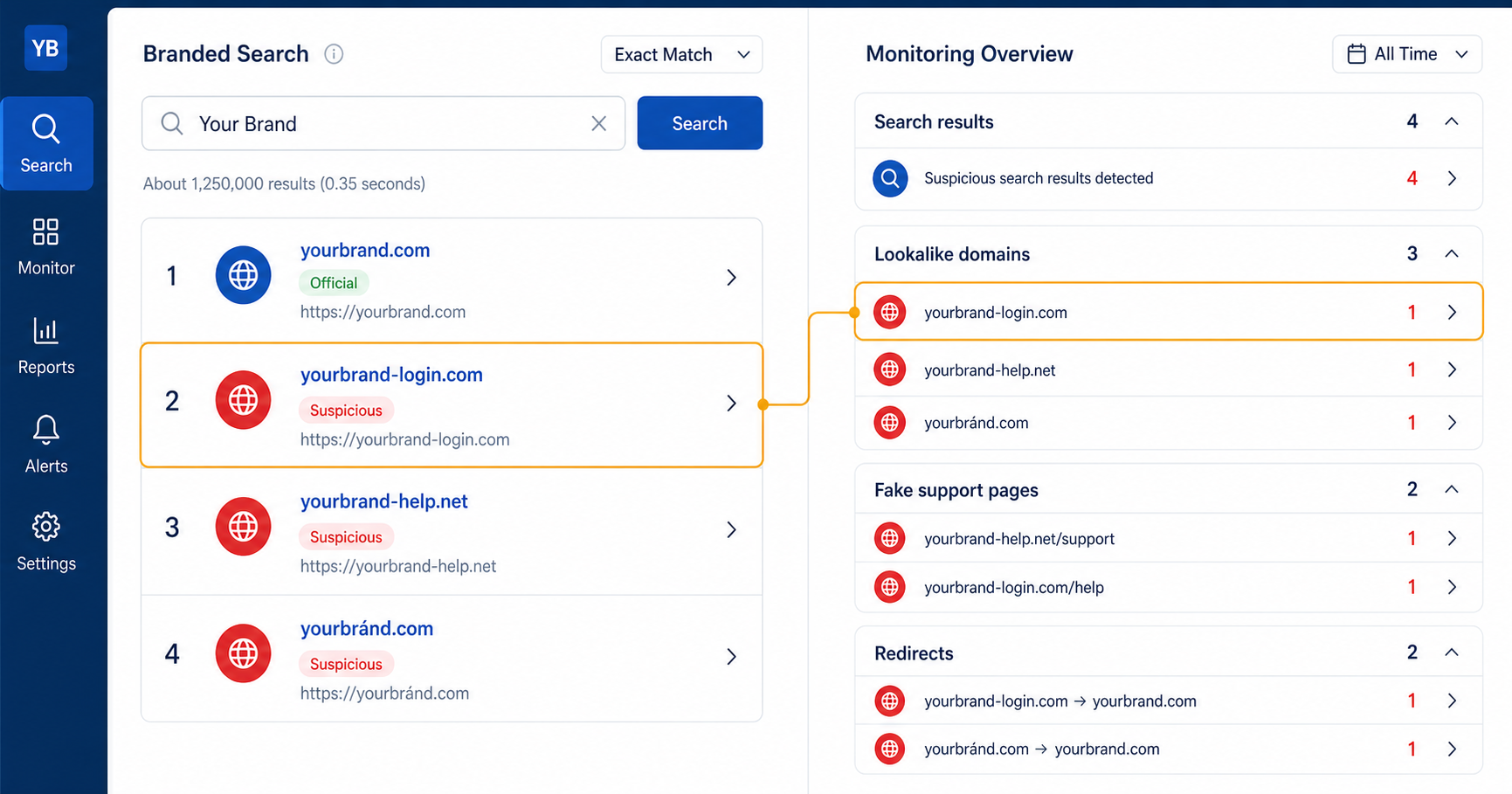
Fake Websites Can Surface Across Several Customer Journeys
Monitoring only newly registered domains or only the first page of Google leaves important gaps. Search visibility and user access are what turn a suspicious source into a commercial problem.
Branded search results
Look for unfamiliar domains appearing around company, product, login, support, app, bonus, review, and local-market queries.
Lookalike domains
Track misspellings, added words, alternative extensions, hyphens, and visually similar characters that could confuse a visitor.
Redirect chains
A harmless-looking page can send visitors to a different offer, affiliate destination, cloned page, or unauthorized service.
Support and account pages
Fake login, verification, payment, refund, recovery, and customer-support journeys often borrow the strongest trust signals.
Apps and public channels
Websites may be promoted through app listings, video, business profiles, messaging channels, ads, and shared links.
Customer reports
Support tickets can reveal domains, offers, phone numbers, payment flows, or pages that automated discovery has not yet connected.
Build Monitoring Around Intent, Not Only the Brand Name
A company name is only the starting point. High-intent modifiers reveal the moments when a user is most likely to choose the wrong destination.
What Evidence Separates a Real Threat From a Similar Domain
Similarity alone does not establish impersonation. The assessment should connect the source to a misleading presentation, discoverable customer journey, or harmful commercial outcome.
1Identity signals
- Brand name, logo, design, product imagery, or official language
- Claims of affiliation, authorization, licensing, or support
- Contact information presented as belonging to the company
2User journey
- Login, payment, download, support, or verification actions
- Redirects to another business, affiliate, or unrelated source
- Forms collecting customer or account information
3Discoverability
- Visibility in branded organic results or paid placements
- Promotion through apps, videos, business profiles, or channels
- Links circulating in customer messages or support reports
4Commercial impact
- Official-site clicks displaced from branded demand
- Customer confusion, failed payments, or extra support work
- Pressure on branded CPC, acquisition efficiency, or trust
Not Every Suspicious Domain Requires the Same Response
A useful queue reflects exposure and behavior, not just visual similarity.
Active customer harm
Credential capture, misleading payment, unsafe download, fake support, or another journey that can immediately affect users.
Visible traffic interception
The source appears in branded search, ads, apps, public channels, or shared links and can divert high-intent visitors.
Credible impersonation
The domain is active and presents a misleading connection, but current reach or traffic exposure is not yet clear.
Similarity without active abuse
The name resembles the brand, but the source is inactive, unrelated, parked, or lacks evidence of a misleading customer journey.
Turn Discovery Into a Repeatable Brand Protection Process
Discover
Monitor search journeys, lookalike names, public channels, and customer-reported sources.
Validate
Confirm what the source shows, where it sends visitors, and which markets or customers can reach it.
Preserve
Capture the relevant pages, search exposure, redirects, dates, and supporting brand evidence.
Prioritize
Rank findings by customer harm, traffic interception, credibility, visibility, and recurrence.
Act and verify
Coordinate the appropriate route, track responses, and confirm whether the source and its visibility changed.
The UK National Cyber Security Centre recommends planning brand-protection and takedown responsibilities before an incident, including discovery, evidence, validation, response, and outcome tracking.
Found a Website Using Your Brand?
Book a call to review its visibility, customer journey, available evidence, and whether a domain takedown route may apply.